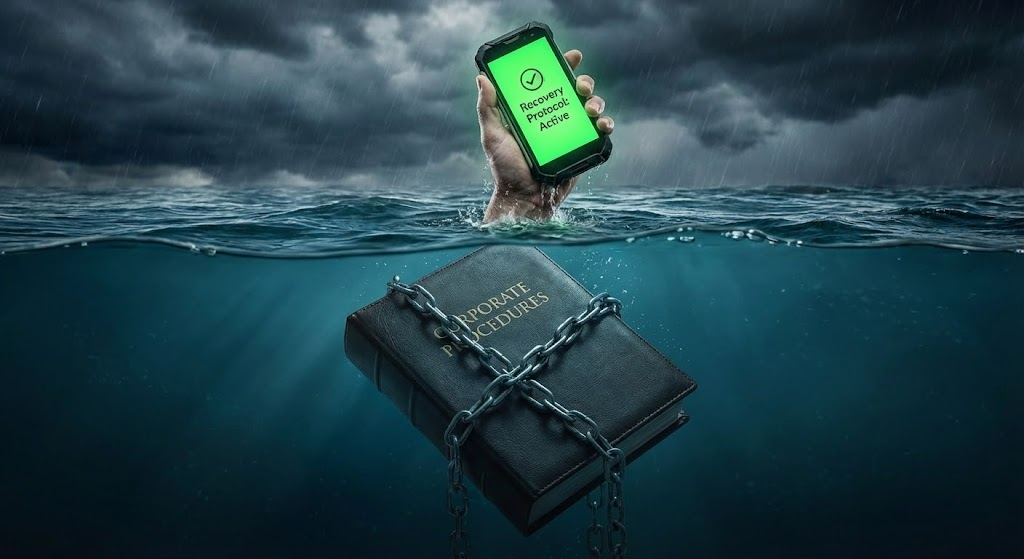
There is a grim irony in storing your “Disaster Recovery Plan” on paper.
Paper is made of wood. It burns.
Paper dissolves in water. It rots.
Paper is heavy.
If your facility is hit by a flash flood—a scenario familiar to anyone operating in the monsoon belt—that perfectly formatted ISO 22301 binder sitting on the bottom shelf is the first casualty. Even if you manage to grab it before you evacuate, you are now running for your life carrying a 5kg brick.
In a crisis, Speed is Life.
Physical atoms move slowly. Digital bits move instantly.
If your resilience strategy relies on physical access to a physical document, you have built a single point of failure. It is time to digitize your resilience—not just to save trees, but to save the plant.

The “PDF Trap”: Digital Paper is Still Paper
“But we digitized everything!” you say. “It’s all on the SharePoint server.”
I have bad news. If your “Digital Strategy” is just scanning your binders into 50-page PDFs, you haven’t digitized anything. You have just created “Digital Paper.”
In an emergency, a PDF is a nightmare.
- Try reading a 10-point font PDF on an iPhone while standing in the rain.
- Try “Pinch and Zooming” a complex flowchart while your hands are shaking.
- Try waiting for a 20MB file to download over a spotty 3G connection because the Wi-Fi towers are down.
True digitization isn’t about storage; it’s about Usability.
Design for the Pocket, Not the Shelf
To build a BCP that works when the water rises, you need to adopt a “Mobile-First” mentality.
Your operators are not going to run back to the Control Room to check the manual. They are going to reach into their pocket. If the answer isn’t on their phone in 3 taps, they will guess. And when people guess in a crisis, things explode.
Here are the three rules for true Digital Resilience:
1. The Cloud is Your Lifeboat
If your BCP lives on a local server in the basement, it is just as vulnerable as the paper binder. When the power cuts, the server dies.
You need an external, cloud-based host for your critical action cards.
- The Test: If your entire site goes black, can I still access the shutdown procedure from a 4G connection in the parking lot?
2. Search, Don’t Scroll
In a panic, the brain cannot process a Table of Contents.
- Old Way: Open Binder > Find Tab 4 > Find Section B > Read Paragraph 3.
- New Way: Open App > Type “Flood” > Click Result.
Digital tools allow for Semantic Search. You type the problem (“Water in basement”), and the tool serves you the solution. This reduces the “Time to Action” from minutes to seconds.
3. Push Notifications > Passive Reading
A binder is passive. It waits for you to read it.
A digital system is active. It can reach out to you.
- Instead of waiting for the Site Controller to call everyone, a digital BCP can trigger a “Mass Notification” push alert to every employee’s phone: “LEVEL 2 ALARM. MUSTER AT GATE B.”
This utilizes Octalysis Core Drive 7 (Unpredictability) to break through the noise and grab attention immediately.
Conclusion: Lighten the Load
When the water rises, you want to be light. You want to be fast.
Paper anchors you to the hazard. It requires you to be in a specific room, looking at a specific shelf.
Digital liberates you. It puts the entire collective knowledge of your organization into the pocket of every single employee.
Don’t wait for the flood to test your paper. It will sink.
Next Step:
Pull out your smartphone right now. Turn off the Wi-Fi (simulate a network failure).
Try to find your “Emergency Evacuation Map.”
If you can’t find it in under 30 seconds, your plan is not mobile-ready. Fix that.
The information in this article was partially generated by Google’s Gemini, an AI language model, and has been reviewed/edited for accuracy and relevance.




Leave a Reply